Keep the matrix, open items and lessor decisions connected.
Set up a project with the requirements you already have.
Select the aircraft and lease, then start with a template or import your XLSX or CSV matrix. Review the column mapping and warnings before creating requirements, with owners, due dates and expected evidence available from the project.
Track the open items list (OIL) through rectification.
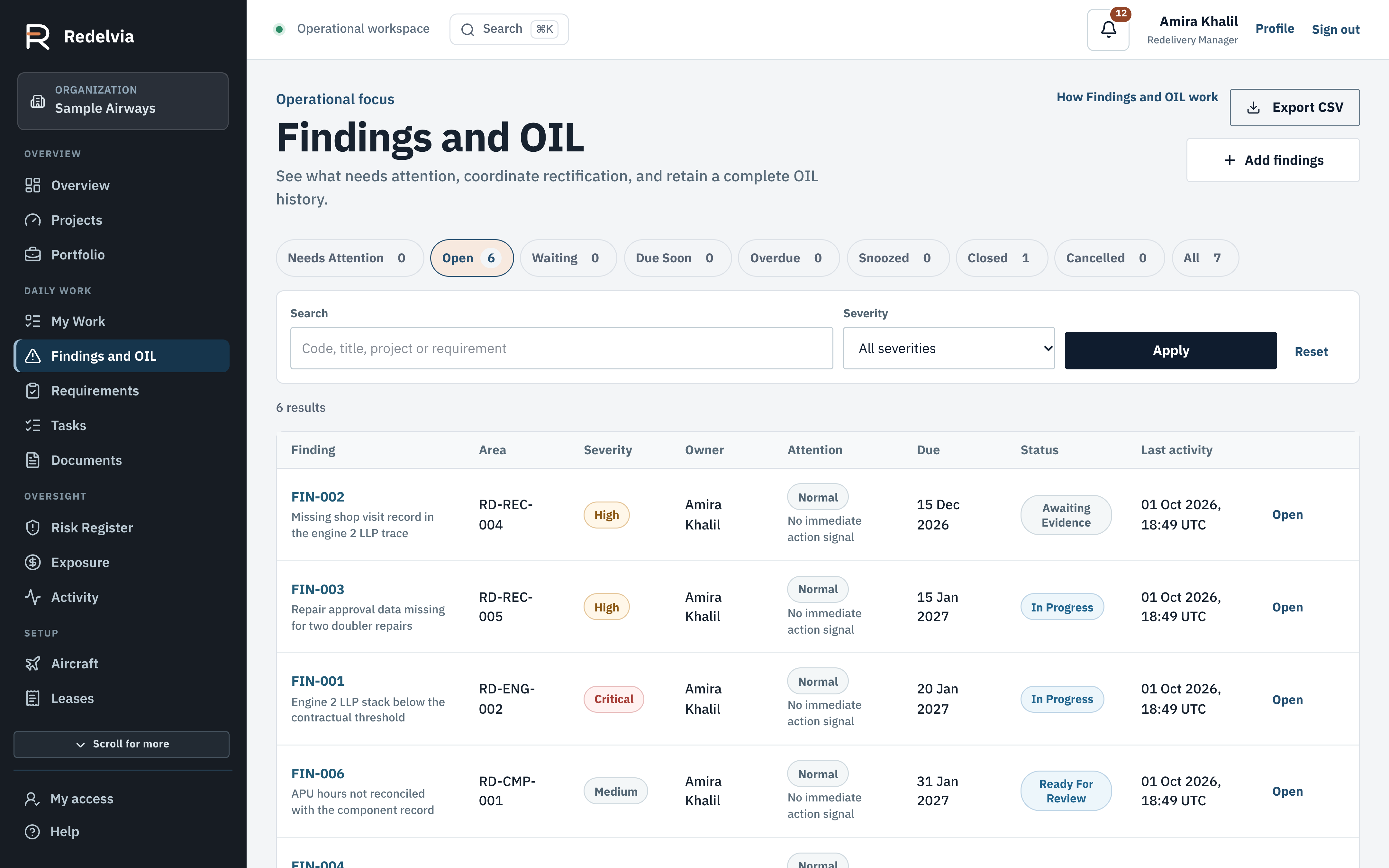
Link a confirmed discrepancy to its requirement, assign the work and retain the document versions used for closure. The register shows the team what remains open and which evidence supports the next review.
An assigned lessor reviewer can review a requirement submission, request changes or accept it. Submission rounds retain the evidence versions and decisions, so the next review starts from the recorded position.
Every item has context, ownership and a path to closure.
The platform is organised around the work that must be completed and accepted.
Organizations & Memberships
Invitation-only access, multi-organization membership and defined operational roles keep each tenant boundary explicit.
Aircraft & Lease Register
Aircraft identity, lease context, return dates and counterparties establish the operating baseline behind each handback.
Redelivery Project
Start a project with the aircraft, lease and return date. Bring in a project template or the requirements you already track.
Requirement Matrix
Import your Excel or CSV matrix and retain the source details, owners, deadlines and expected evidence with each requirement.
Evidence
Documents remain tied to the obligation or finding they support, with clear submission context.
Findings
Records and physical discrepancies carry severity, ownership, due dates and closure evidence.
Tasks
Operational actions stay connected to the requirement, finding or decision that created them.
Lessor Review
Evidence follows a transparent review state from submission through acceptance.
Readiness
A consolidated view isolates open, overdue, at-risk and review-blocked items.
Risk and financial exposure
Organizations can enable risk tracking and record estimated financial exposure against findings and contractual risks.
Audit Trail
Changes, decisions and responsibility remain visible through a maintained operational activity history.
Organization Administration
Administrators manage memberships, invitations, roles, status and access from a dedicated control surface.
Reports & Exports
Export requirements and findings for project reporting, along with exposure records where that feature is enabled.
Redelvia TRACE: proof you can trace to the page.
TRACE, the Technical Records Assurance & Consistency Engine, compares recorded aircraft readings and lets your team review supporting evidence against the cited document version and page.
Cross-check recorded figures
Compare hours, cycles and life-limited part readings from the records your team enters.
Review the source evidence
Link a requirement to supporting evidence in a specific document version and page.
Track a confirmed discrepancy
Create a finding from a reviewed discrepancy and keep the evidence used for rectification.
Screens from the Redelvia application, shown with sample data for a fictional airline.
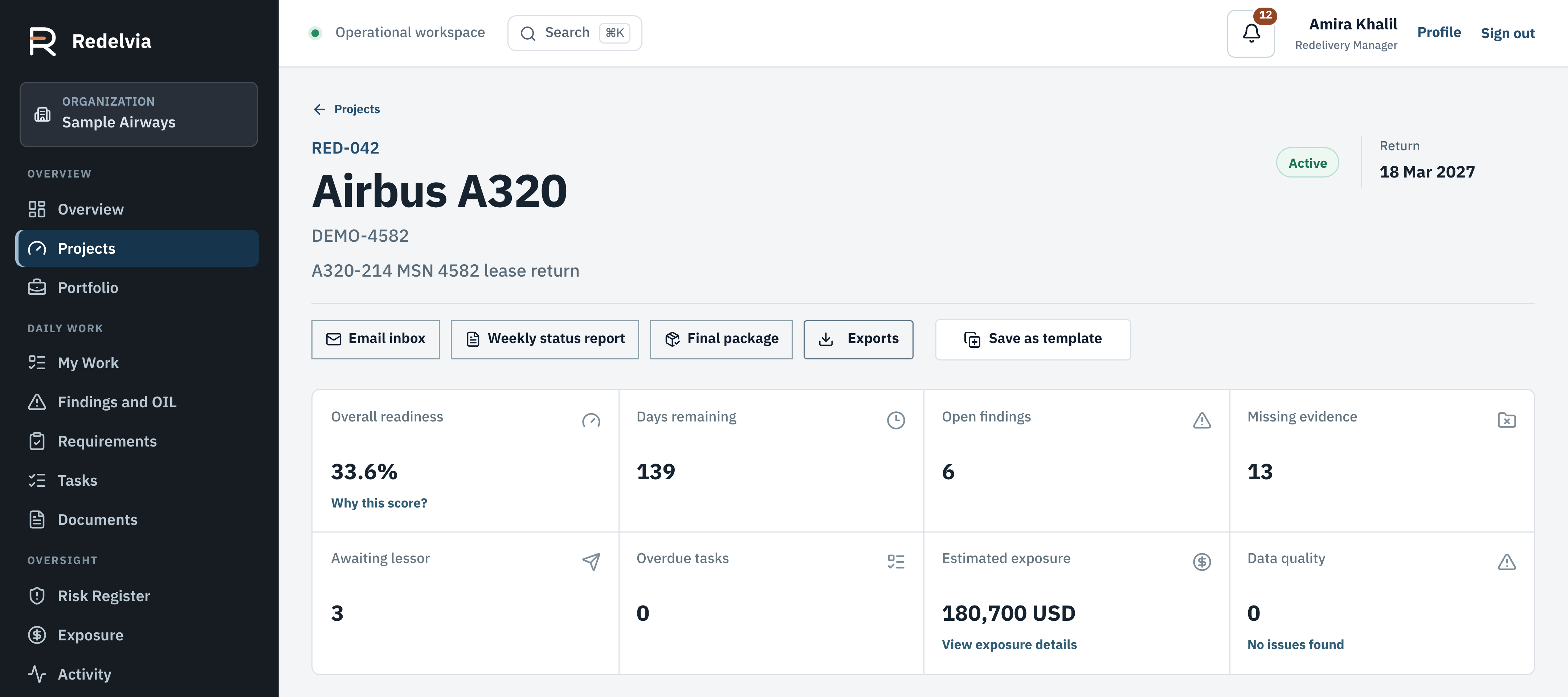
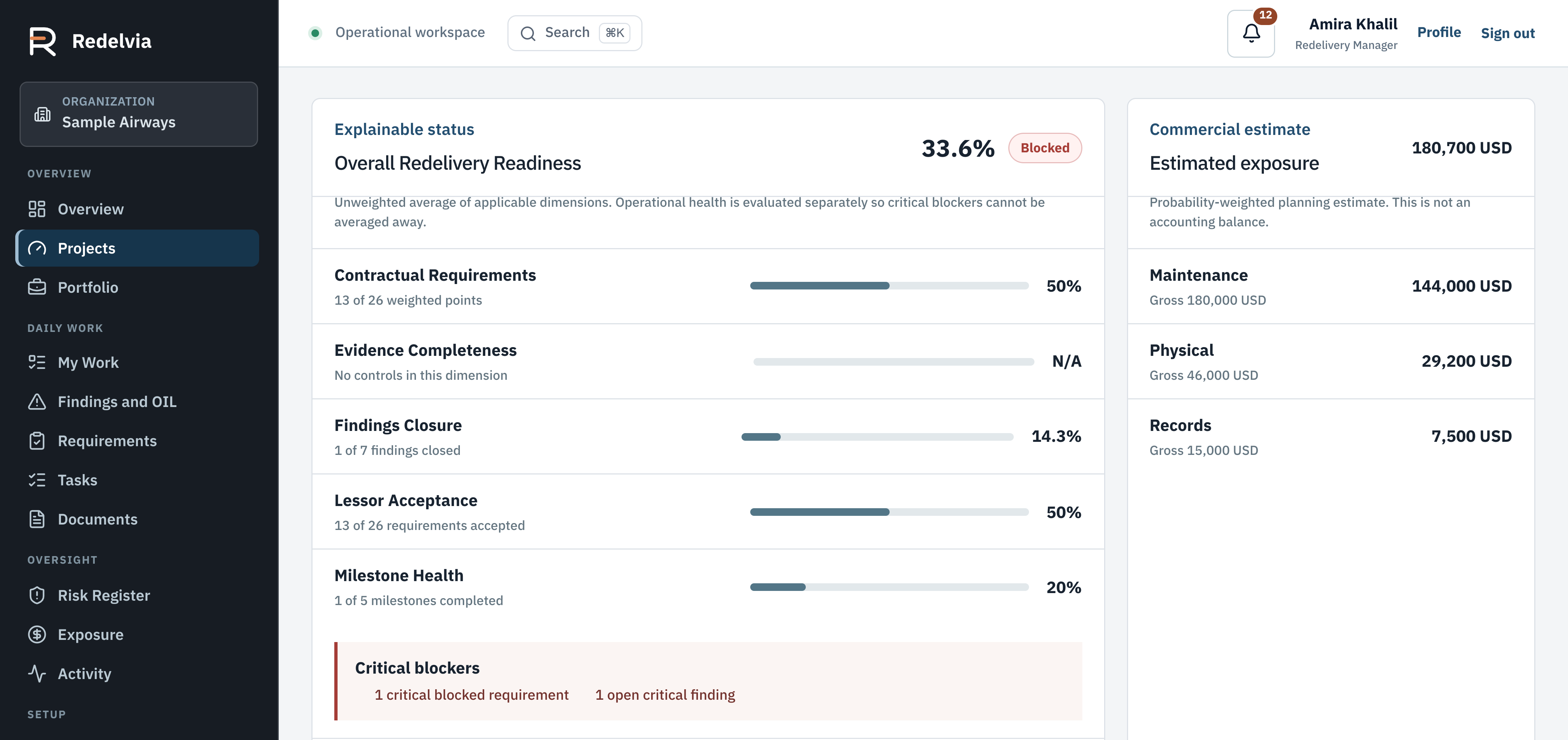
Project overviewReturn date, readiness, open findings, missing evidence, lessor decisions and exposure for one redelivery.Explainable readiness and exposureEach readiness dimension shows what it is built from, critical blockers are called out and exposure is weighted by probability.Findings and OILOpen items with severity, owner, attention state, due date and status, linked to the requirement they affect.
Start from the matrix, documents and correspondence you already have.
Redelvia works alongside your maintenance, records and document systems instead of replacing them.
Excel and CSV requirement import
Import an existing requirement matrix from XLSX or CSV. Choose the worksheet, map the columns and review every warning before anything is created; clause references and source details stay with each requirement.
Milestone timeline import
Import a T-minus milestone timeline and link requirements and tasks to the milestones they must meet before the return date.
Linked documents
Link selected files from a supported document library to a finding or to evidence for a requirement. The originals stay in their source library.
Enabled per organization
Project email inbox
Forward correspondence to a project address. Messages and attachments wait for review and can be linked to a finding or requirement.
Enabled per organization
Exports and reports
Export requirements and findings as CSV, schedule the weekly status report and assemble the final redelivery package.
Reusable project templates
Save a completed project as a template so the next redelivery starts from a proven structure.
See how a lease requirement moves through evidence, rectification and lessor review. Then evaluate Redelvia on your own aircraft during a free pilot of 6 to 12 months.