Conflicting figures across documents
Hours, cycles and life-limited part figures appear in status reports, shop visit reports and logbooks. Differences create extra work before a lessor can review the records.
TRACE, the Technical Records Assurance & Consistency Engine, is the evidence layer of Redelvia. Check readings from historical aircraft records, open the source page and version, and confirm the evidence before handover.
Request a demoHours, cycles and life-limited part figures appear in status reports, shop visit reports and logbooks. Differences create extra work before a lessor can review the records.
When a document changes, the records team needs to know which requirements relied on the earlier version.
A reference to the exact page helps the next reviewer find the relevant entry without searching the entire file.
Compare hours, cycles and life-limited part readings from the records your team enters.
Review discrepancies alongside the recorded values and their sources.
Link a requirement to supporting evidence in a specific document version and page.
A records specialist can check the cited passage and see when evidence needs another look after a revision.
Create a finding from a reviewed discrepancy and keep the evidence used for rectification.
The open items list keeps the finding, its owner and its closure record together.
A records specialist can review the figures and their sources before deciding whether a discrepancy needs action.
Where assistance is enabled, a person can check the cited passage and confirm or reject a suggestion.
Reviewers can confirm, correct or set a result aside with a reason. The decision stays with the record.
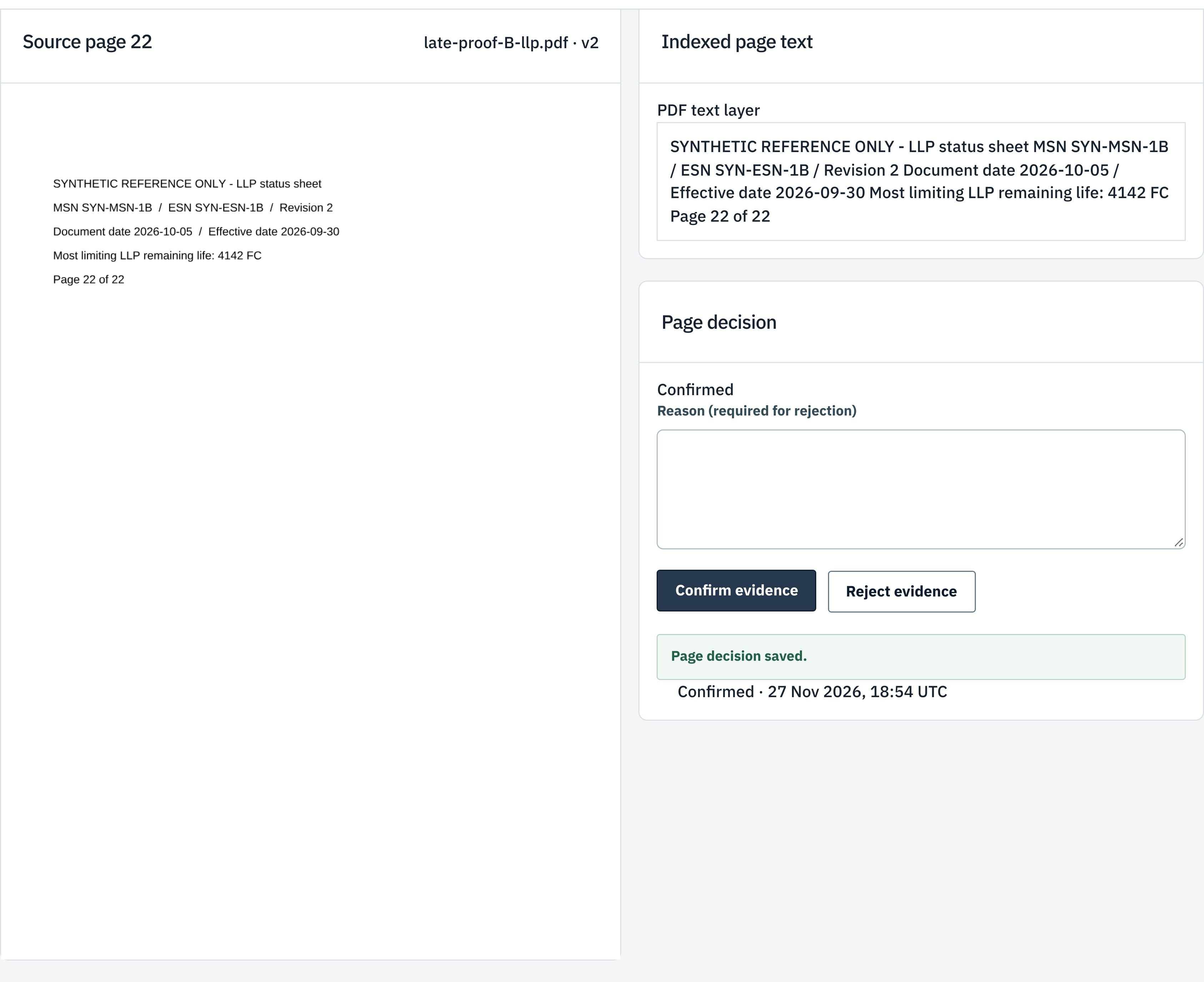
In this fictional review, the specialist finds 4,142 cycles remaining in the engine’s life-limited parts status report, then confirms the evidence against page 22 of revision 2.
Keep historical reports and their versions with the aircraft readings they support.
Discrepancies appear on the aircraft page, most serious first, each with its sources.
Point to the relevant page and passage for a requirement so a colleague can review it.
The lessor reviews the submitted requirement and the exact file versions included in that round.
Read our guide to preparing hours, cycles and LLP figures for a lease return
Technical Records Assurance & Consistency Engine. TRACE helps your team check recorded aircraft figures and review evidence for lease return requirements.
No. TRACE works on the figures and documents your team records in Redelvia, wherever they come from. Your maintenance, records and document systems stay as they are.
TRACE flags inconsistent readings recorded for airframes, engines, APUs and landing gear. Your team reviews the figures and source documents before deciding what needs correction.
A person confirms or rejects each suggestion. Where AI assistance is enabled, reviewers can check the cited passage in its source document before deciding.
No. Results describe the consistency of the recorded figures and the evidence for contractual return conditions. Airworthiness stays with your organization and the authorities.
The lessor reviews only what your team submits: the requirement and the exact file versions included in that round. Where enabled, the submission can also include verified evidence and recorded checks, preserved as they were when submitted. Internal drafts and AI suggestions are not shared.
TRACE works on the readings and documents you record for any aircraft. Some plausibility checks are calibrated by aircraft family, starting with the A320 family.
Contact Redelvia about using TRACE in a pilot.
See how a lease requirement moves through evidence, rectification and lessor review. Then evaluate Redelvia on your own aircraft during a free pilot of 6 to 12 months.